
Table of Contents
Information for new members
Welcome to vpsFree.cz. This guide explains how to log in to vpsAdmin for the first time, check your membership and connect to your VPS.
1. Log in to vpsAdmin
Log in at vpsadmin.vpsfree.cz with the username and temporary password from your welcome email. Both are case-sensitive. You have to change the password when you first log in.
If you cannot find the email, check your spam folder. If you received only a payment reminder without login credentials, contact support and include your registration number.
2. Check your membership and payment
Open Members in the top vpsAdmin menu.
The overview shows your member ID and when your paid membership expires:
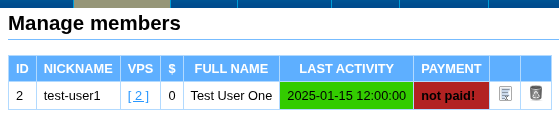
You do not have to pay the membership fee immediately. You can try the VPS for one week before deciding whether to continue using it.
See Membership fees and payments for the current amount, bank accounts, payment reference and payment verification. Use your member ID as the payment reference, not the VPS ID. If you need more time to pay, let us know before your membership expires.
3. Find your VPS
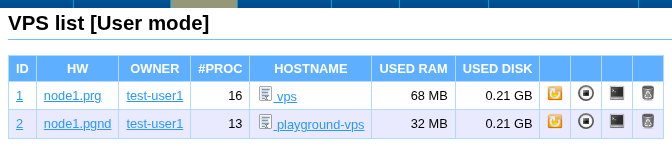
Open VPS in the top menu and click the VPS ID to open its details.
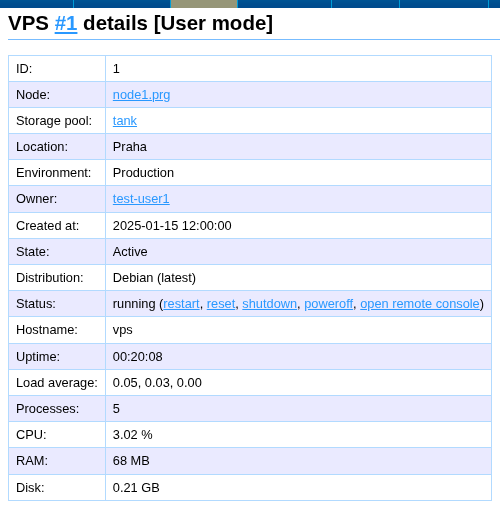
The details show the VPS status, location, resources and forms for everyday management:
4. Log in over SSH
The VPS details contain its addresses and a basic connection command:
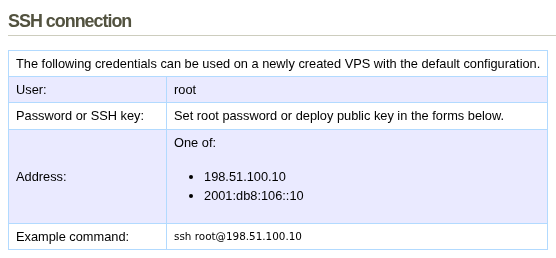
Use a password or SSH key for your first login.
Password login
Set a new, unique root password using the form in the VPS details.
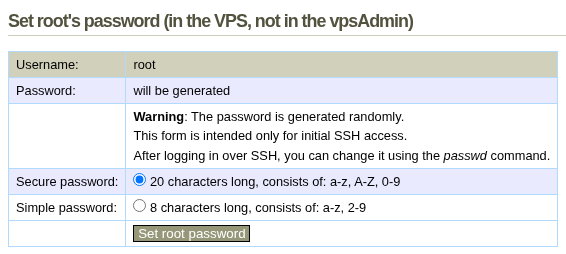
The default templates permit root password login. Then use the connection
command shown in the VPS details.
SSH key login
Save your public key under Edit profile → Public keys → Add public key.
Then deploy it to the running system using the form in the VPS details.
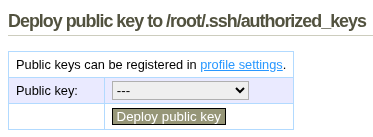
The SSH guide explains the complete process, including server host-key verification.
5. If login does not work
You can restore access even if the VPS network, firewall or SSH service is broken. Follow the remote console guide, which covers the normal console and the start-menu Run environment for repairing the VPS configuration. If you need help, contact the community or support.
6. Learn the VPS basics
- Creating and managing a VPS covers starting, stopping, reinstalling and other everyday changes.
- Network traffic covers monthly reports and live monitoring.
- IP addresses explains assigned and routed addresses, while Reverse DNS explains how to configure PTR records.
What to read next
If you are new to server administration
Advanced options
- WireGuard and GRE tunnels
- API and the Terraform/OpenTofu provider
The FAQ contains more answers. The communication channels carry project news and give you a place to ask other members for advice.
Page Tools


